Schoolbibliotheek

Open source · Made in Flanders

The school library, simple at last.

Lending in two scans, a catalogue with real covers, labels and reader cards, and figures for the head teacher. All in the browser, ready to use.

  • €10 a month
  • Nothing to install
  • Data in the EU
The lending desk: a pupil at the desk, with two books just lent and their due dates.
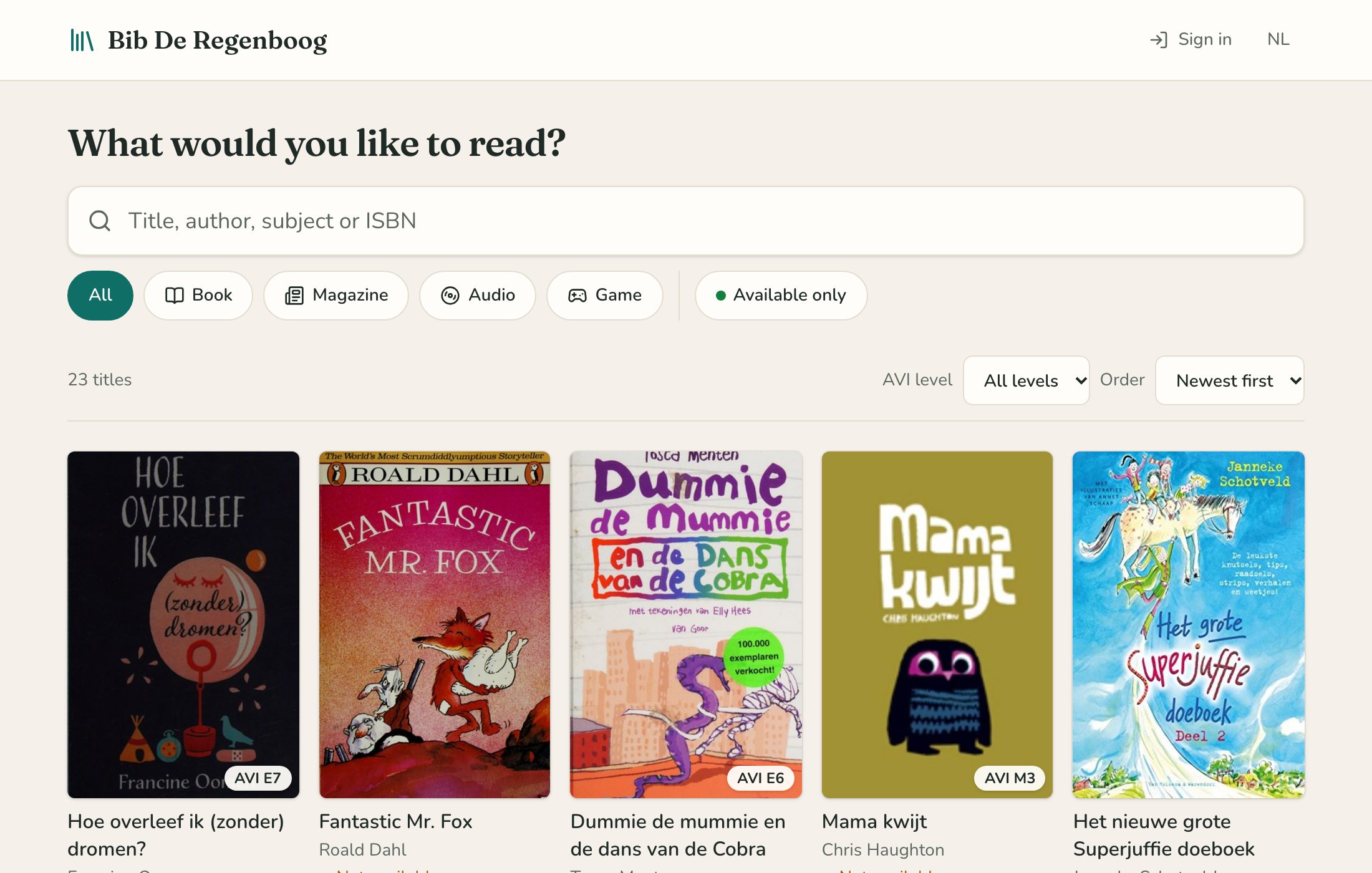
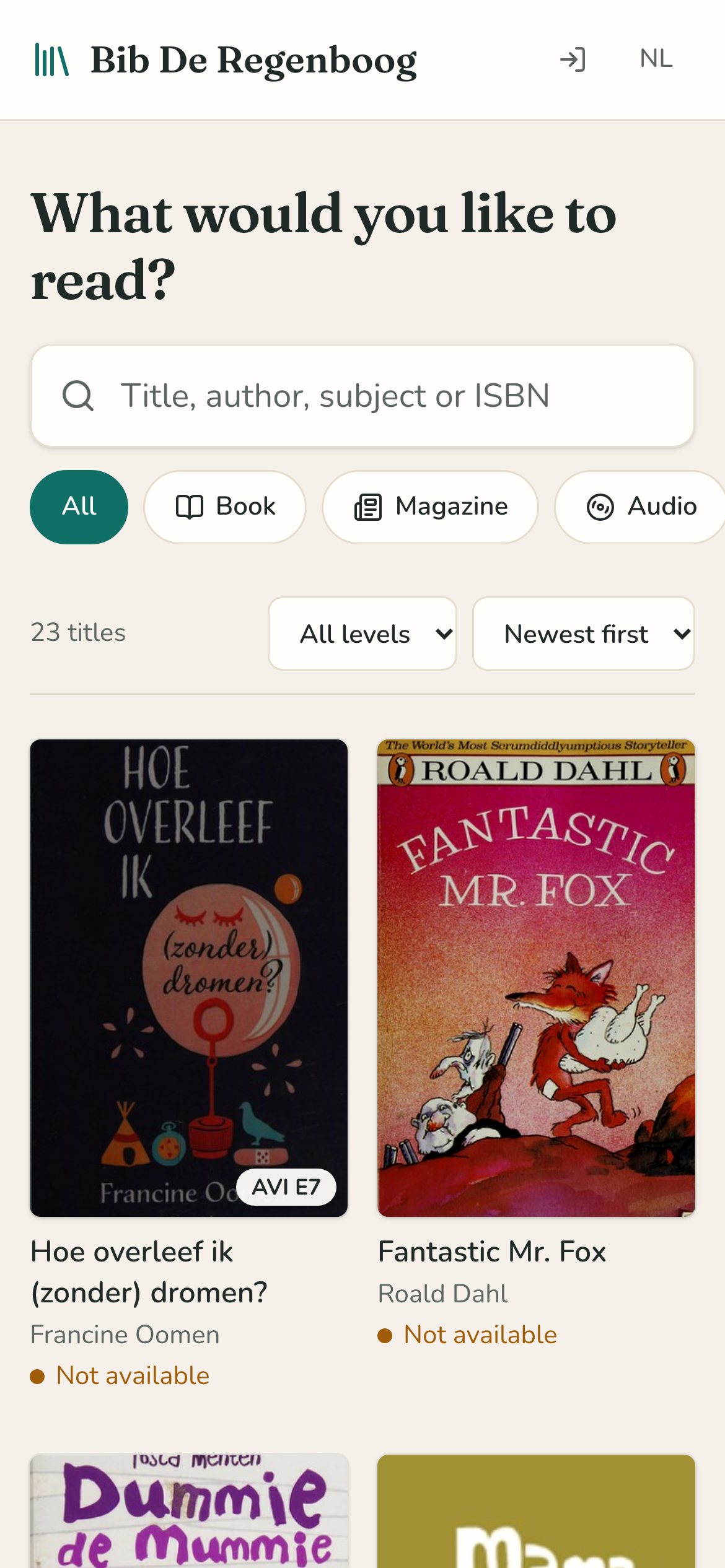
The catalogue on a smartphone, with the books’ covers.

A week in the library

Made for the people who keep the library running

The parent who runs the desk on Tuesdays, the teacher with a classroom library, the children choosing a book. This is their week.

Monday morning

Lending in two scans

Scan the card, scan the book, done. The due date skips holidays and closed days by itself. Returning a book is one scan, even without the card.

  • Works with an ordinary barcode scanner or your laptop’s camera
  • Scanning twice never does anything twice
  • Renew with one click, print a slip for the school bag
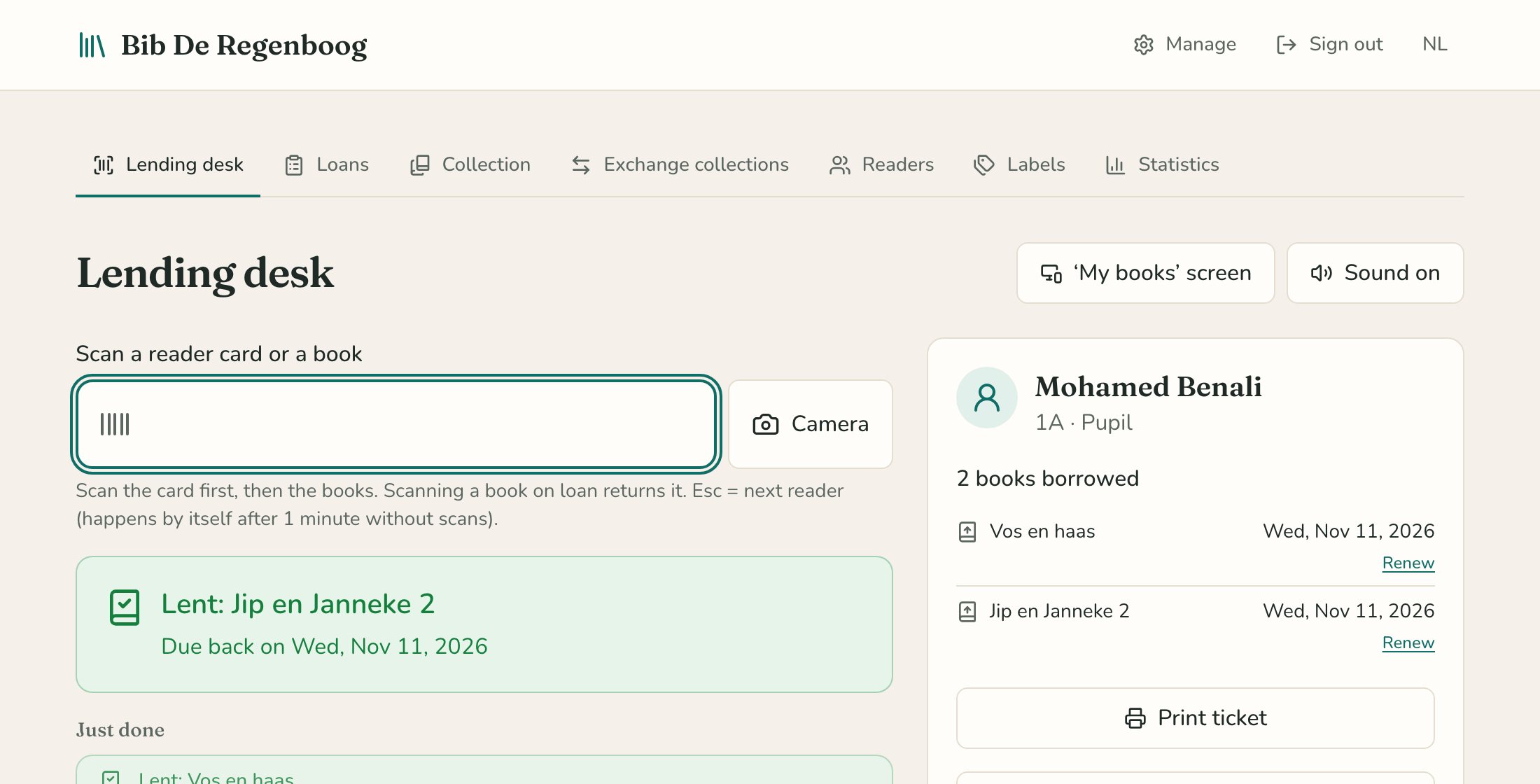
The lending desk with a pupil and two books lent.

At school and at home

A catalogue with real covers

Search by title, author, subject or reading level, with results as you type. On any phone, without an app and without signing in.

  • See right away how many copies are available
  • Filter by type, reading level and availability
  • In Dutch and English
The catalogue with children’s book covers and filters.

The box of new books

From box to shelf in minutes

Scan the ISBN: title, author, publisher and cover fill in from open library sources. Add the reading level and age, and every copy gets its own barcode.

  • Labels to print on ordinary label sheets
  • A half-used sheet? Just start at the next label
  • Location and status per copy: damaged, lost, withdrawn
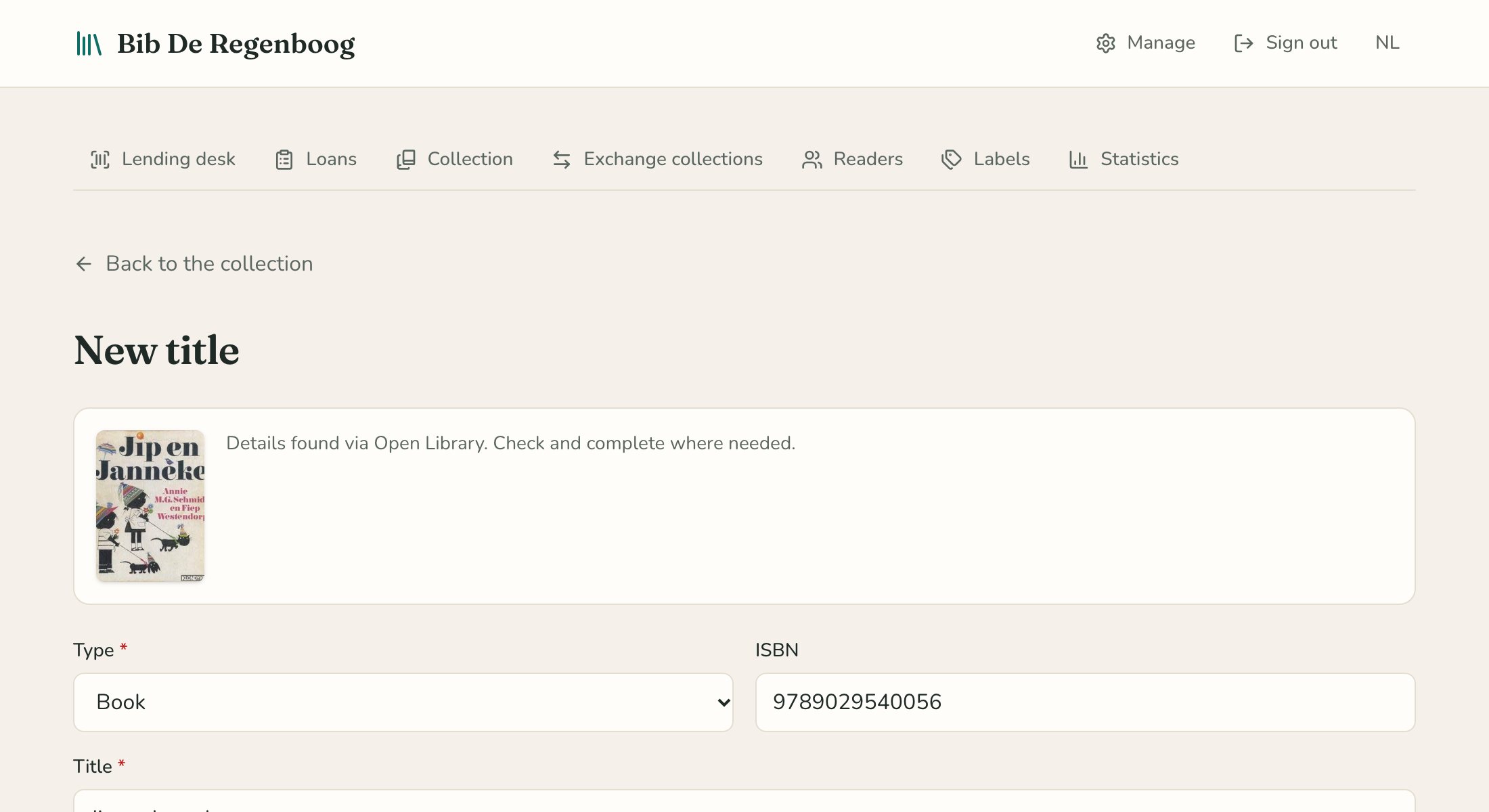
A new title found by its ISBN, with cover and details.

September

A new school year without retyping

Import the pupil list from your school administration software as an Excel or CSV file. Before anything changes, you see who is new, who moves to a new class and who has left.

  • Pupils keep their card, even in a new class
  • Set pupils who left to inactive with one tick
  • Reader cards per class, ready to laminate
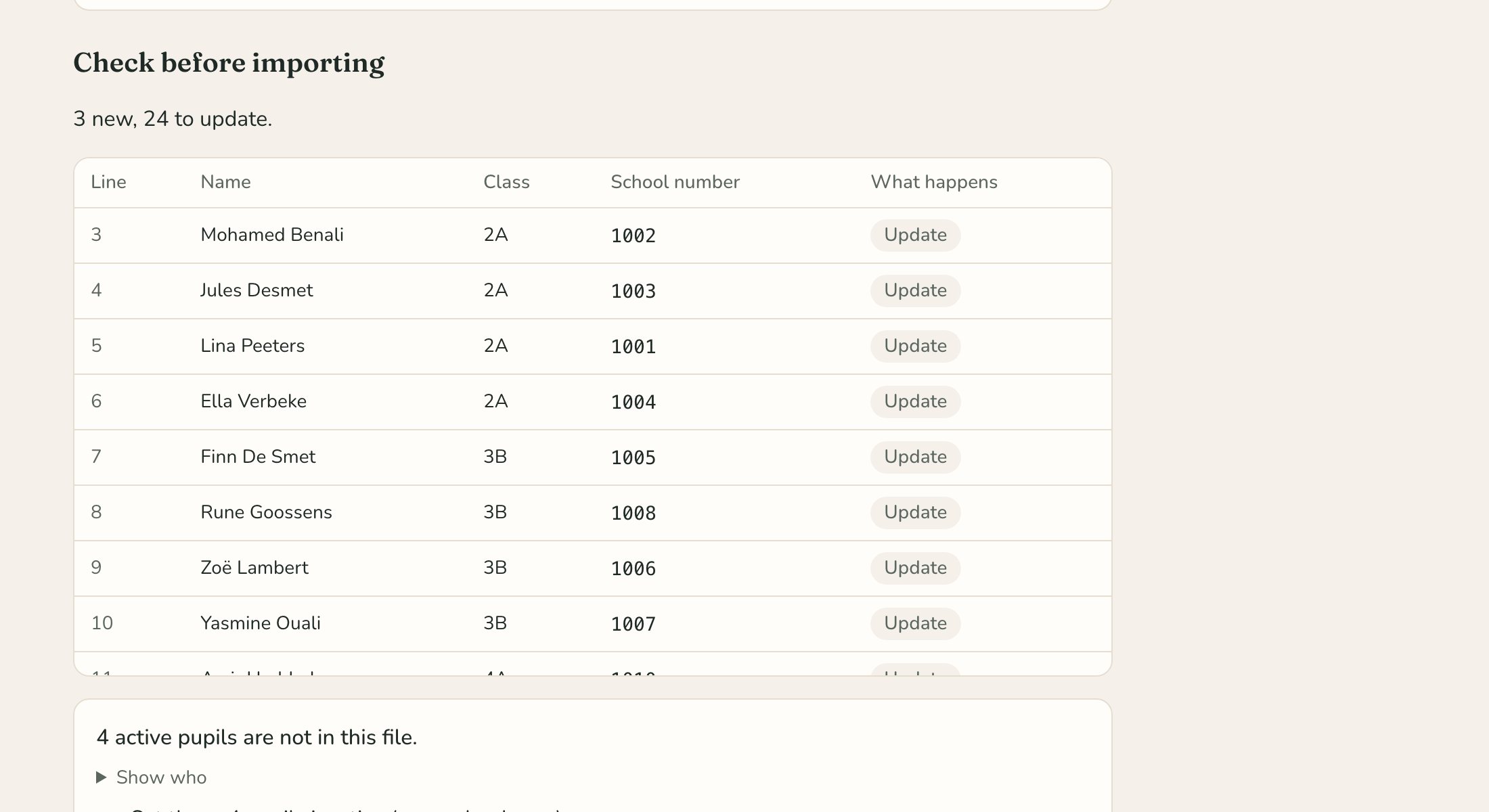
Importing a pupil list, with an overview of what changes.

For the head teacher

How much is being read?

Per month, per class and per reading level. The school’s favourites, and the books nobody takes home. A report for the school board or the municipality, as PDF or CSV.

  • Always anonymous: counting what is lent, never who read what
  • Per school year, including previous years
  • An overview of that year’s exchange collections
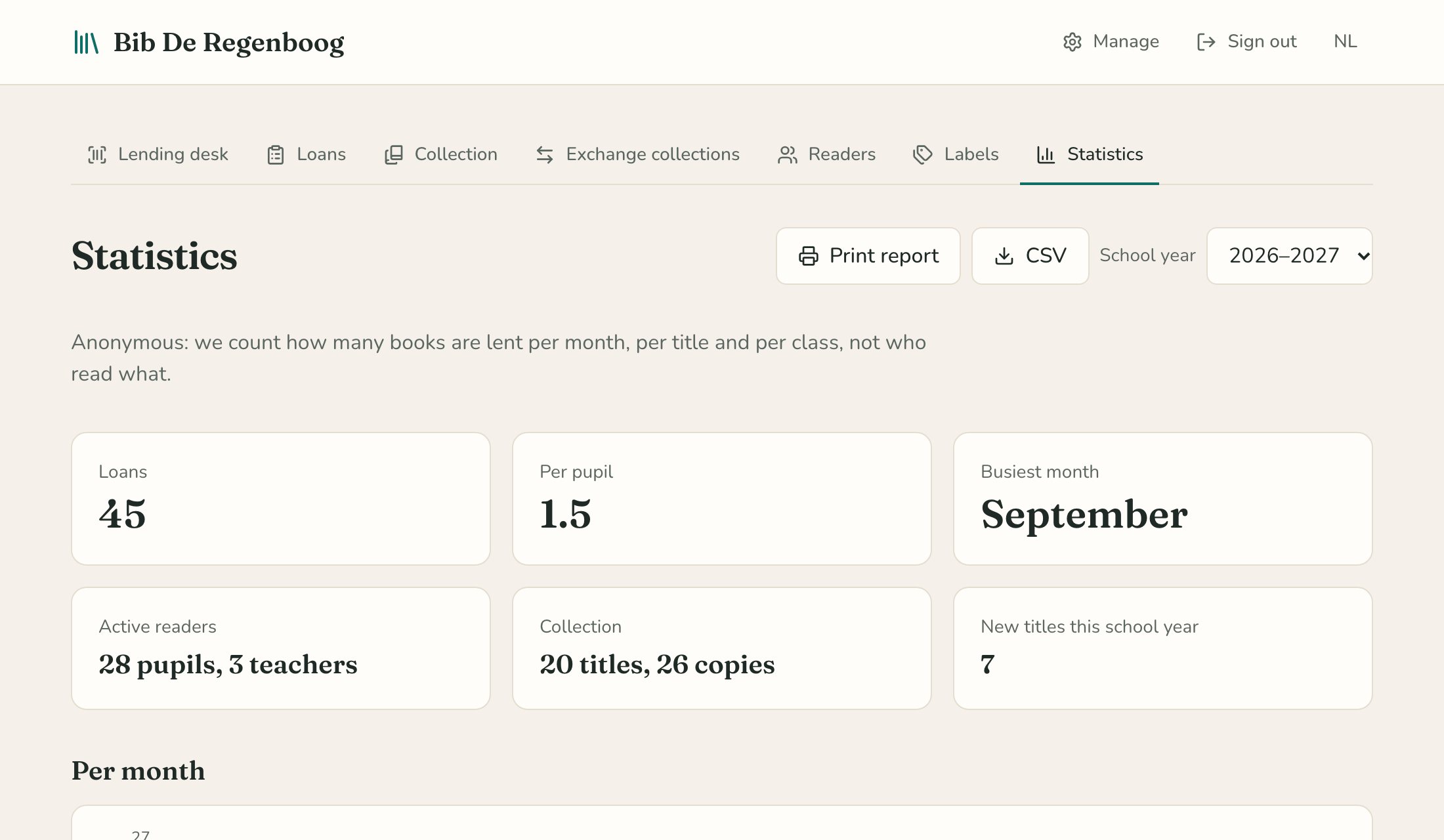
The school year’s statistics with figures and a chart per month.

And also

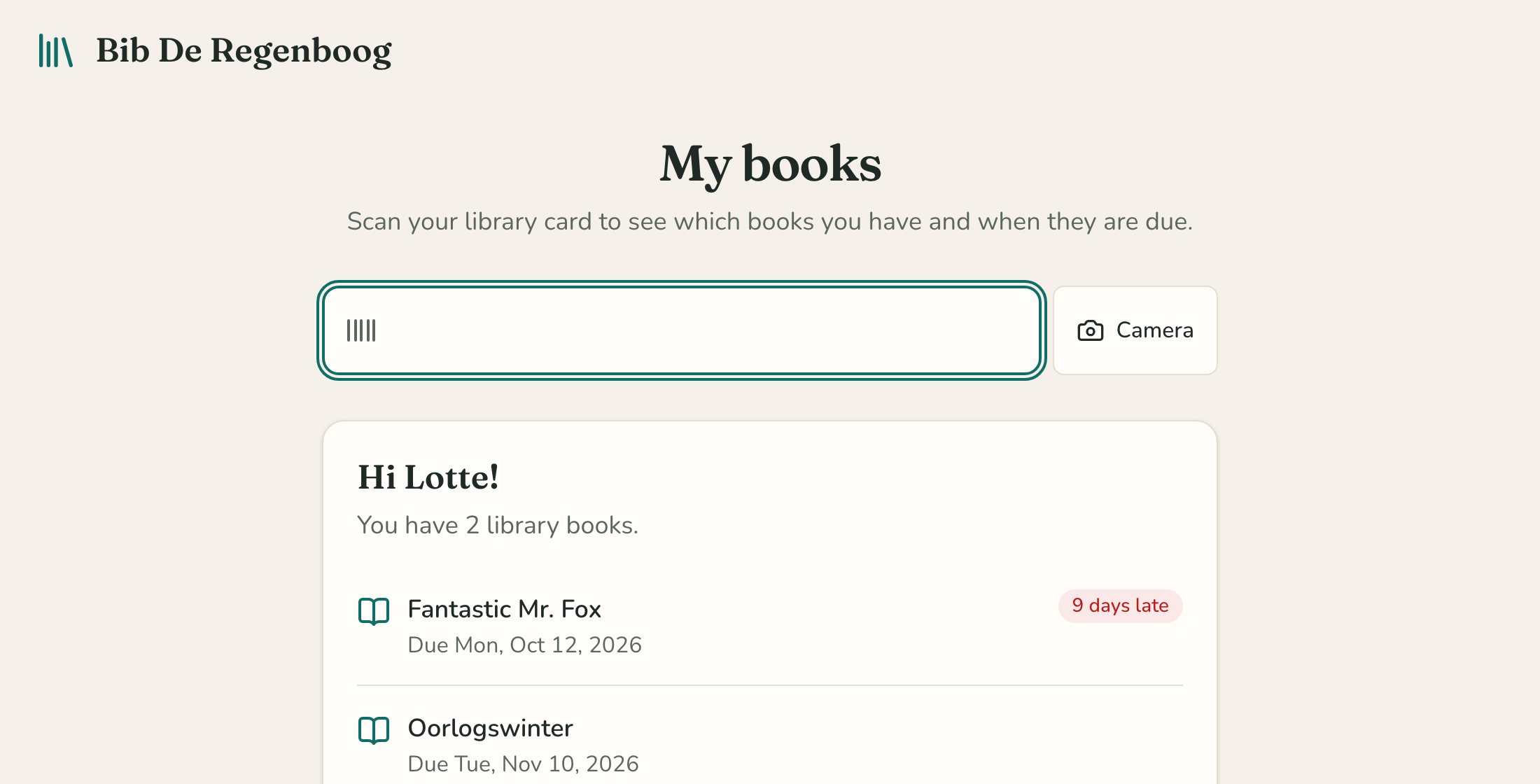
The My books screen showing a pupil’s books.

My books

A tablet by the door: pupils scan their card and see which books they have at home. After twenty seconds it all disappears again.

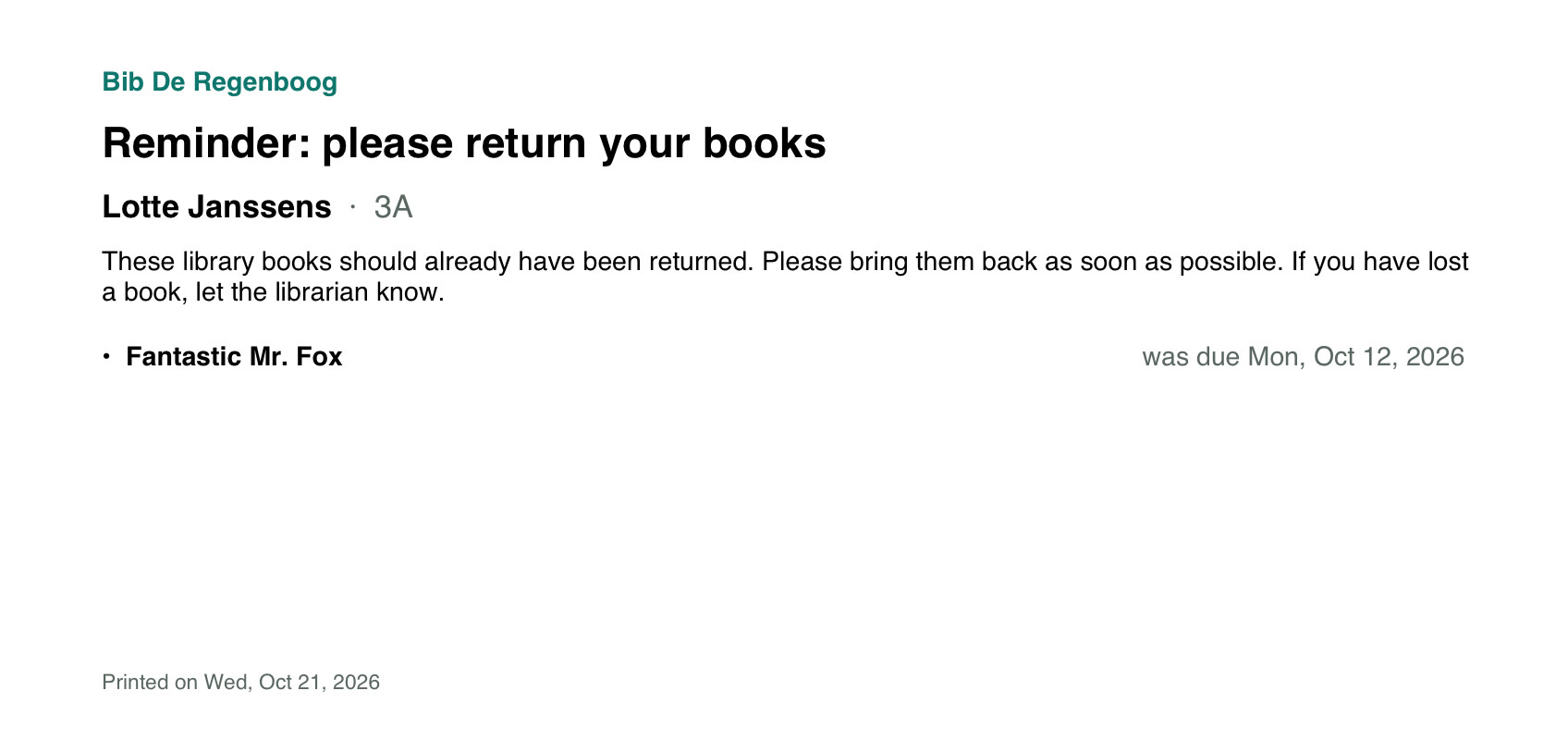
A reminder slip for a pupil.

Reminder slips

One slip per pupil listing their overdue books, sorted by class. No emails, no parents who need to sign in.

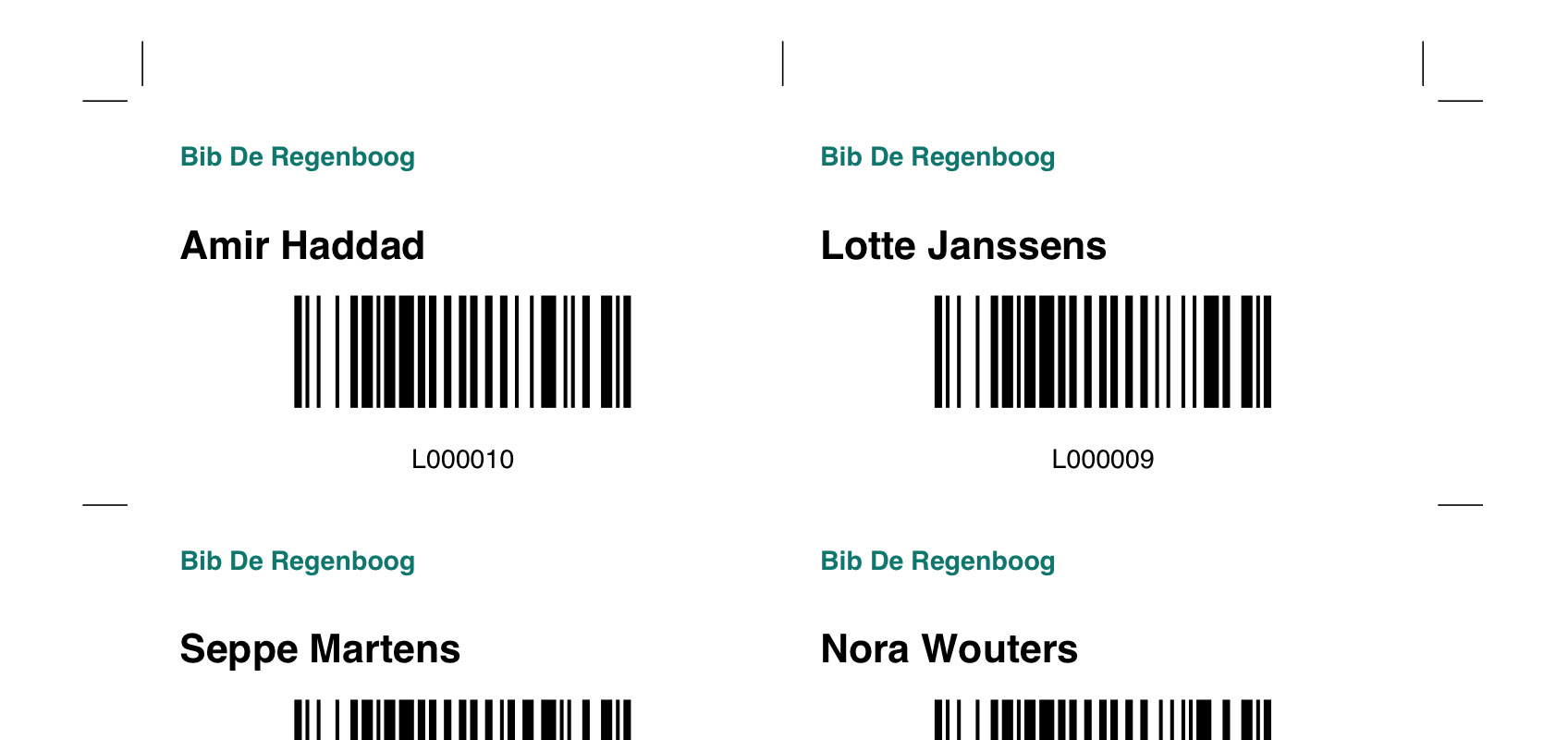
Reader cards with barcodes.

Reader cards

Cards with name, class and barcode, per class, to cut out and laminate. With your school’s name and logo.

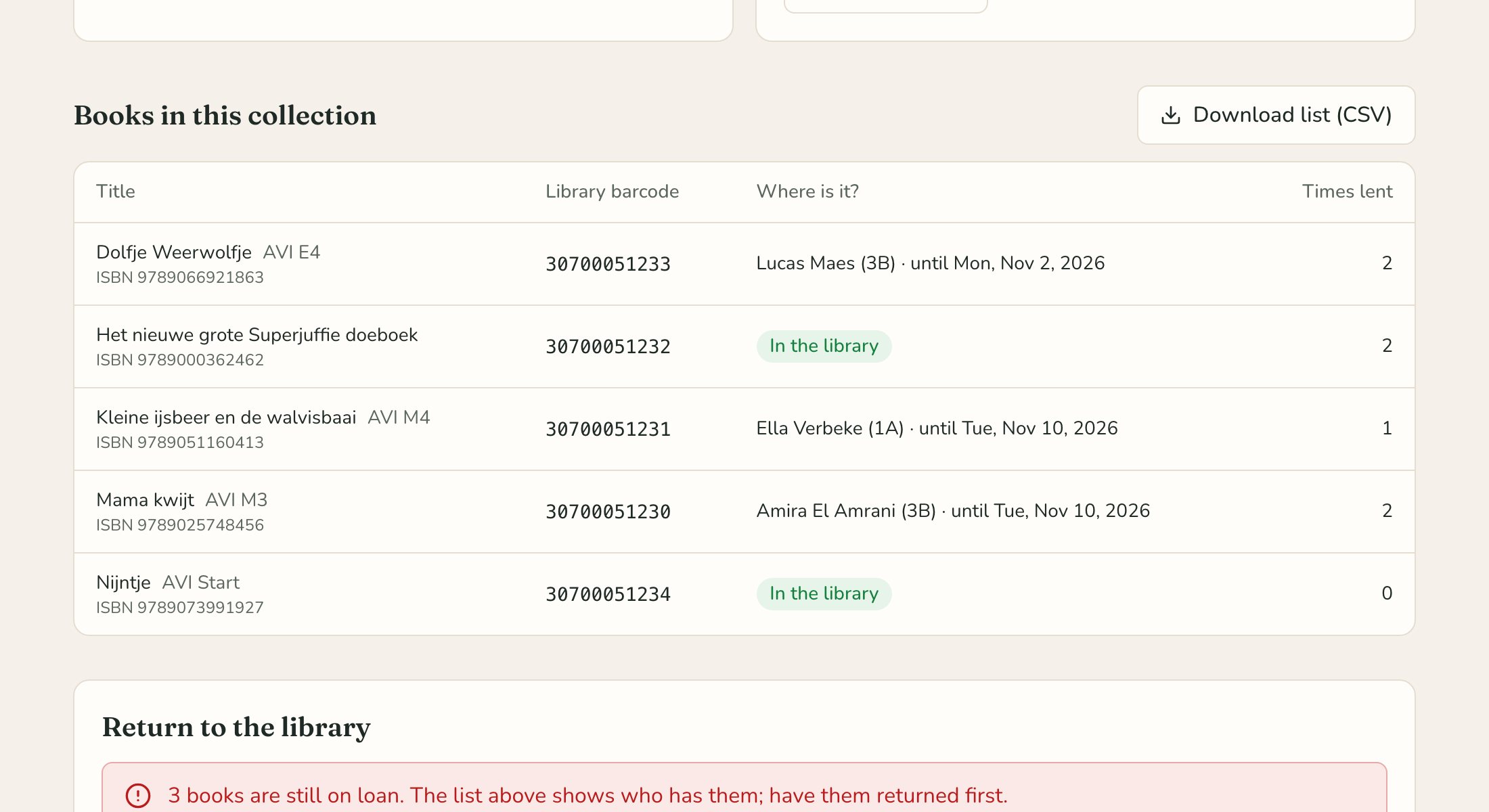
An exchange collection with its books and where they are.

Exchange collections

Books from the public library keep their own label and are lent like your own. When they go back, the list adds up.

See it in action

A ten-minute tour

The video comes from YouTube; it only loads when you press play.

An ordinary week in the library, chapter by chapter: the desk, the pupils, new books, the new school year, exchange collections, the figures and privacy. In Dutch, with Dutch subtitles.

Safe and privacy-friendly

Children’s data deserves care

  • In Europe

    Everything is stored in a data centre in Ireland, encrypted.

  • Only the team

    Whoever runs the library signs in with a password and a code on their phone.

  • As little as possible

    No date of birth, address or photo. An email address isn’t needed.

  • Removed automatically

    Reading history is private and removed after the retention period the school chooses.

  • Rights in one click

    Download or erase a pupil’s data when parents ask.

  • Clear agreements

    A data processing agreement is included, and a privacy page in plain language.

Price

One price, everything included

Schoolbibliotheek

€10a month, per school

excl. VAT

  • Your own installation, with data in the EU
  • Updates and security fixes
  • Backups: any moment of the last 35 days
  • No limit on pupils or books
  • Help by email
  • Data processing agreement
Get started with your school

Self-hosted

Freeopen source (MIT)

Rather keep everything in your own hands? Install the app in your own AWS account. The guide comes with the source code.

View the source code

Getting started

Email today, lend books soon

  1. Send an email

    Tell us briefly about your library. Questions or a guided tour are welcome too.

  2. We set up your library

    With your school’s name and logo, and an account for whoever runs the library.

  3. Import and start lending

    The pupil list from your school administration; books are scanned in by their ISBN.

What you need

  • A computer with a browser
  • A barcode scanner, or the camera of a laptop or tablet
  • Label sheets for the book labels

Frequently asked questions

Do we need to install anything?

No. Schoolbibliotheek runs in the browser, on a computer, a tablet or a phone.

Which scanner do we need?

Any barcode scanner that behaves like a keyboard, wired or bluetooth. Without a scanner, use the camera of a laptop or tablet.

Do pupils need an email address or password?

No. Pupils have a card with a barcode. Only the people who run the library sign in.

Can we bring over our existing catalogue?

Importing from other library software isn’t available yet. Books with an ISBN are scanned in quickly: we look up the details and the cover for you.

Is it really open source?

Yes, under the MIT licence. You may read the source code, change it and host the app yourself.

Where is our data stored?

In a separate installation per school, at Amazon Web Services in Ireland (European Union), encrypted.

Does it work for an organisation that isn’t a school?

Yes. Choose “other organisation” and the app uses neutral words, or the words you choose. Figures are then counted per calendar year.

Ready to get started?

Send us an email and we’ll help you on your way.

Email tim@itrw.be